
Currency Converter Plus Rates
Digitalchemy, LLCTravel & Local
4.84.77K Reviews
- Version
- 3.4.1
- Installs
- 10.00M
- Age Rating
- Everyone
Screenshots

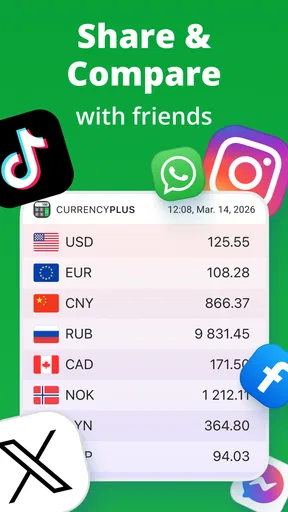
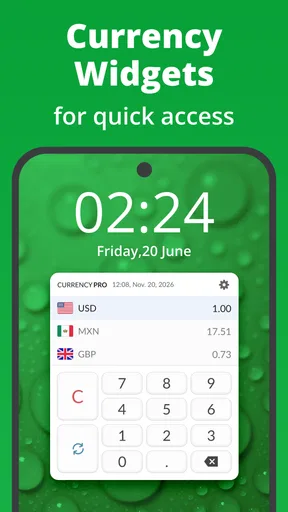
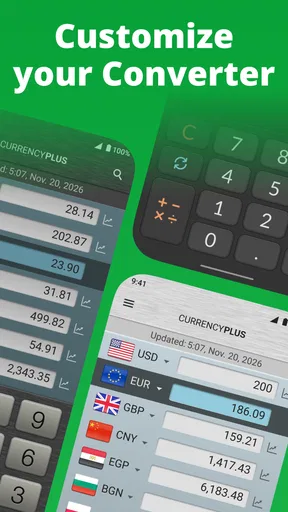
Our Review of Currency Converter Plus Rates
 Analysis by Appyee
When I’m paying abroad, the hard part is rarely the arithmetic; it’s keeping a useful price in mind while menus, receipts, and bank notifications show amounts in unfamiliar units. Currency Converter Plus is built for that small but recurring problem: it lets me check what an amount means in another currency without turning a quick decision into a search through several screens. The calculator, exchange-rate view, and graphs make it more than a bare conversion box, though its greatest value is still practical rather than financial.
A quick way to make foreign prices feel familiar
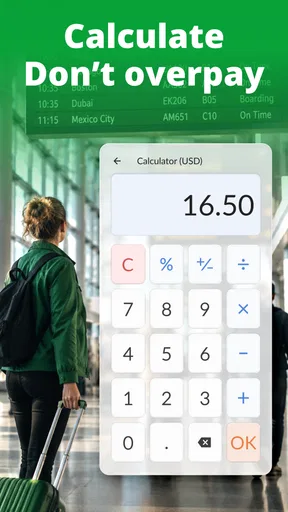
The central idea is simple: enter an amount, choose the currencies, and use the result as a reference for a decision. That sounds ordinary, but it matters when you are comparing a café bill with what you would normally spend at home, or deciding whether a taxi fare looks reasonable before getting in. Having a calculator alongside the converter is useful because I can work out a split, add a tip, or adjust a quantity without switching between separate tools.
I find this approach most helpful for mental budgeting, not for treating the displayed result as the exact amount that will leave my account. A converter gives me a common reference point; a card provider or cash exchange counter may use its own rate and fees. That distinction is worth remembering whenever a few percentage points could change a larger purchase. For everyday travel choices, though, a fast estimate is often exactly what I need.
How I would use it during an ordinary trip
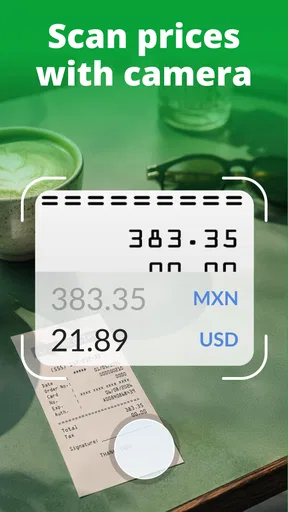
Picture arriving in a new city, stopping at a grocery shop, and seeing a drink and a few snacks priced in a currency you rarely use. I can enter the total, check the home-currency equivalent, and decide whether it fits the day’s budget. If I am comparing two prices, the calculator makes it easier to check each amount consistently rather than guessing from memory or repeatedly opening a browser. That little routine is more useful than trying to memorize a conversion rate before leaving home.
For a multi-stop trip, keeping the currencies I expect to use close at hand can reduce repeated searching. I would set up the destinations I know about before travelling, then use the converter as a quick checkpoint when moving between places. This is especially helpful when a trip includes several currencies and I need to compare spending across them. It is less compelling for someone who visits one destination once and is happy to rely on a card’s local-currency display.
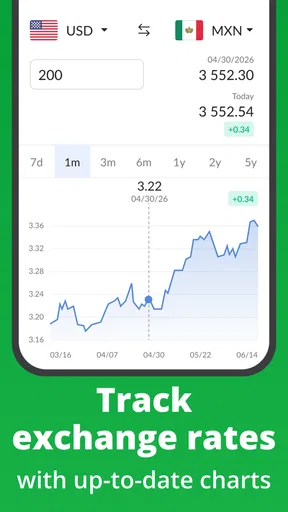
The graphs serve a different purpose from the instant calculation. I would use them before a trip to get a sense of how a currency has moved over time, rather than to predict the best day to exchange money. Historical movement can add context to a budget, but it cannot promise what a provider will charge or what the rate will be when I pay. Treating the chart as background, not a forecast, keeps it useful without asking it to do more than it can.
What makes it different from a browser search
A browser is a reasonable choice when I need one conversion and already have a connection. It may be quicker for a single question, especially if I do not want to install a dedicated tool. This app makes more sense when conversions are part of the day: checking several prices, returning to familiar currencies, or using the calculator and graphs in the same place. That continuity is the real advantage over a one-off search.
Compared with a bank or card app, a converter is better suited to comparing values before paying; the payment app is the place to check the transaction that actually posts. I would not use a conversion result as a substitute for checking the merchant’s displayed total or my provider’s terms. Nor is this the right tool for someone who needs accounting records, business invoicing, or a guaranteed settlement rate. It is a travel reference, not a payment service.
Currency Converter Plus is a free travel and local app from Digitalchemy, LLC. It has a 4.8 average from around 227,000 ratings and more than 10 million installs, which suggests it has found a broad audience among people who want this kind of everyday utility. It is rated for everyone, and the current version is 3.1.10. The app is free to download, with optional in-app purchases ranging from $0.99 to $21.99 per item, so I would check the purchase screen before buying anything rather than assume every extra is included.
Where I would be cautious
Exchange rates change, and a rate shown in a converter is best treated as an estimate for planning. When I am about to exchange cash or approve a card transaction, I would compare the final amount with the provider’s rate and any fees. The app can help me spot a price that seems out of line, but it cannot make a merchant or bank use the same figure I see on screen. That is a meaningful limitation, not a flaw in the basic calculator.
Offline access can also be useful, but it changes how I interpret the result: a saved rate is a snapshot, not a live quote. Before losing connectivity, I would refresh the information while online, then use the stored value as a rough guide if needed. For an urgent large exchange, I would wait until I can check a current rate from the service handling the transaction. For a quick meal or small purchase, an older reference may still be enough to keep my spending sense calibrated.
The graphs are helpful when I want context, but they can invite overconfidence. A past rise or fall does not tell me what will happen next, and a chart should not turn a travel budget into a currency bet. I would glance at the trend to understand whether a rate has been unusually different from what I remember, then make decisions based on what I can afford and the actual terms available. If the only question is “What will this cost me right now?”, the calculator is more relevant than the graph.
People who need a very narrow task may prefer a simpler option. If I only convert one amount occasionally, a search engine or built-in phone calculator with a conversion function may be sufficient. If I need a binding quote, transaction history, or an exchange service, I would go directly to the provider involved. This app earns its place when I want a reusable travel-side reference, rather than when I need an authoritative record or a financial transaction.
My practical tip is to use a small set of familiar comparison amounts before departure. Check the equivalent of a typical coffee, a simple meal, and a short ride in the currencies you expect to encounter. Those anchor prices make quick mental estimates easier later, without requiring me to open the app for every small purchase. I would still check unusual or expensive items directly, because a rough anchor is useful for orientation, not a replacement for careful arithmetic.
First Impressions
From the moment you open Currency Converter Plus, it’s pretty clear that the developers had user experience in mind. The interface is sleek, intuitive, and doesn’t bombard you with information overload, which is a big win in my book. The main screen is straightforward, where you can easily select currencies and input amounts with just a few taps.
Features That Stand Out
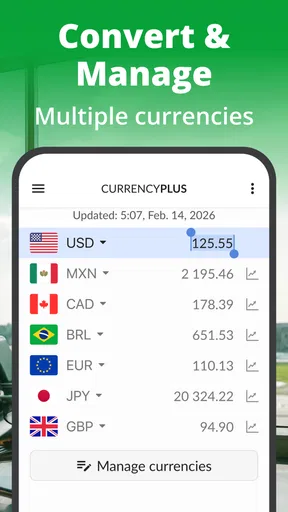
One of the standout features is the app’s ability to handle multiple currencies at once. You can convert one amount into several different currencies simultaneously, which is perfect for those globetrotters who are hopping from country to country. Just imagine being in Europe, then heading to Asia, and needing to know how much your Euros, Dollars, and Yen are all worth in real-time. It’s a game-changer!
Another nifty addition is the offline mode. Yes, you heard that right! The app lets you access the last updated rates without needing an internet connection. This is especially handy when you're stuck without Wi-Fi or trying to save on data while traveling abroad. It’s like having a safety net for your wallet.
The Practical Side
From a practical standpoint, Currency Converter Plus offers real-time exchange rates, which are updated frequently to ensure accuracy. For the financial buffs out there, you can also view historical charts for each currency, giving you a glimpse into past trends. It’s not just about today’s rates; it’s about understanding currency behavior over time. For those who like to plan ahead, this feature is pure gold.
The app also lets you customize your experience by saving your favorite currencies, so you’re not scrolling through an endless list every time you need to make a quick conversion. It’s these little touches that show the developers really thought about our everyday needs.
Usability and Accessibility
What’s great is that the app doesn’t require a steep learning curve. Whether you're a seasoned traveler or just someone dabbling in international shopping, the app’s simplicity is welcoming. Plus, there are no annoying ads popping up every two seconds. It’s just you and your conversions, pure and simple.
For those concerned about accessibility, the app supports a range of languages, making it friendly for users across the globe. The text size is adjustable, too, which is always a plus for those of us who don’t want to squint at our screens.
Wrapping It Up
All in all, Currency Converter Plus is more than just a currency calculator; it’s a travel companion, a financial guide, and a handy tool all rolled into one. Whether you're planning your next international adventure or just curious about currency fluctuations, this app has you covered.
In a world where accuracy and efficiency are key, having this app at your fingertips can smooth out the financial wrinkles in your travel plans. It’s a small addition to your smartphone, but it makes a world of difference. So, next time you’re preparing for a trip or just need to check the latest exchange rate, remember that Currency Converter Plus is just a tap away.
Verdict
Strengths of Currency Converter Plus Rates
- User-friendly interface for easy navigation.
- Supports multiple currencies with real-time rates.
- Offline mode available for no internet situations.
- Customizable settings for personalized experience.
- No ads in the premium version.
Limitations of Currency Converter Plus Rates
- Free version contains intrusive ads.
- Premium features require a subscription.
- Limited offline capabilities in free version.
- Occasional glitches with rate updates.
- Lacks cryptocurrency support.
Other Releases by Digitalchemy, LLC
View All
Mirror Plus - HD Mirror app
Beauty4.8
Similar Picks in This Category
View All
Google Maps
Google LLC3.4

Google Maps Go
Google LLC4.1

Booking.com: Hotels & Travel
Booking.com Hotels & Vacation Rentals4.8

Google Earth
Google LLC3.8

Skyscanner Flights Hotels Cars
Skyscanner Ltd4.8

trivago: Compare hotel prices
trivago N.V.4.4
Frequently Asked Questions
What features does Currency Converter Plus offer?
Currency Converter Plus provides real-time exchange rates for over 170 currencies. It includes a user-friendly interface, historical charts, offline mode, and the ability to save favorite currencies for quick access. The app also supports cryptocurrencies, allowing users to stay updated with the latest digital currency trends.
Is Currency Converter Plus available offline?
Yes, Currency Converter Plus features an offline mode. While it primarily updates exchange rates in real-time, users can still access previously updated rates without an internet connection. This makes it convenient for travelers who may not always have access to data or Wi-Fi.
How accurate are the exchange rates on Currency Converter Plus?
Currency Converter Plus provides highly accurate exchange rates by updating them in real-time from reliable financial data sources. However, slight discrepancies might occur due to market fluctuations or delays in updates. It’s always a good idea to double-check rates if precision is crucial for large transactions.
Does Currency Converter Plus support cryptocurrencies?
Yes, the app supports a variety of cryptocurrencies, including Bitcoin, Ethereum, and Litecoin, among others. This feature allows users to track the latest trends in digital currency markets alongside traditional currency conversion, making it a versatile tool for both casual and professional users.
Is Currency Converter Plus free, or does it include in-app purchases?
Currency Converter Plus is available as a free download, offering all essential features without any cost. However, it also offers in-app purchases, such as ad-free experiences and additional customization options, enhancing the overall user experience for those who opt for the premium version.
